USING CLAUDE CODE WITH AFTER EFFECTS: a panel that writes the maths for you
After Effects expressions are the difference between animating something and rigging it — but nobody remembers the syntax, and the useful ones are twenty lines long. This episode builds a dockable panel holding twenty-eight of them, each with editable parameters and live preview, plus a browser page that runs every one so you can judge the motion before touching After Effects. The interesting part is not the panel. It is the four bugs that only appear once the code reaches AE — and the verification habit that catches them.
A registry, not a pile of snippets
The naive version of this is a text file of expressions you copy and paste. The useful version is a data structure: every expression declares its own parameters, and the panel reshapes its controls to match whichever one you pick. Adding a twenty-ninth is one object literal, not a new tab.
One dropdown, twenty-eight shapes of control
Pick Bounce and you get amp, freq and decay sliders. Pick Loop and those vanish, replaced by a type and direction dropdown. Pick Connector line and two layer pickers appear, because that expression needs to know which layers to join. The controls are generated from each entry's declaration.
Expression
Parameters
Apply to
Expression
n = 0;
if (numKeys > 0) {
n = nearestKey(time).index;
...
{ name: "Bounce",

            nums: [ {k:"amp", min:0, max:0.6, def:0.1},

                   {k:"freq", min:0.1, max:8, def:3},

                   {k:"decay", min:0.1, max:12, def:4} ],

            presets: [ …five ],

            linkable: true,  needsKeys: true,

            target: "Scale",

            build: function (v, linked) { … }

          }
Judge the motion before you commit
Expressions are hard to shop for because a name tells you nothing about how something feels. So every one got a demo. These four are running the real maths — the same formulas the panel writes into After Effects.
Step by step
The Registry
The first version had one expression and a hard-coded set of three sliders. That does not scale to
twenty-eight, so the shape changed early: every expression became an object declaring its numeric
params, its dropdowns, its free-text fields, its layer pickers, and a build() function
that assembles the string.
The panel holds a fixed pool of controls and shows, hides and relabels them per entry. That is the only way ScriptUI handles a variable interface without rebuilding the window, which a docked panel cannot do.
Data, not branches Adding one is one object01–14 single-property modifiers
take a value, change it
bounce, loop, wiggle, smooth, clamp…
15–28 rigging
layers that read each other, or read the comp
auto-size box, connector line, counter,
toComp attach, audio driver, per-char bounce…
The Visualiser
Reading value + v*amp*Math.sin(freq*t*2*Math.PI)/Math.exp(decay*t) tells you nothing
about whether it feels right. So the maths was reimplemented in JavaScript and given a demo card
each — twenty-eight of them, with the same sliders as the panel and the generated expression
text one click away.
It doubles as a test harness. Every card's tick() can be run headlessly against a
stubbed DOM, which is how 336 frames across 28 cards and every dropdown option were checked without
opening a browser.
wiggle() runs forever on every axis.
The two things people actually ask for — one axis, and only between two times — need a
wrapper, so that became its own entry.The Handoff
The panel installs like any other: run it once from File › Scripts › Run Script
File for a floating palette, or drop it in the ScriptUI Panels folder and it becomes
a real dockable panel under the Window menu. The same file handles both, which is a four-line
conditional at the top.
Where it matters, parameters go onto Slider Controls on the layer rather than being baked into the expression text — so after applying you keep tweaking in Effect Controls, and you can keyframe the sliders themselves.
Floating or docked Sliders over literals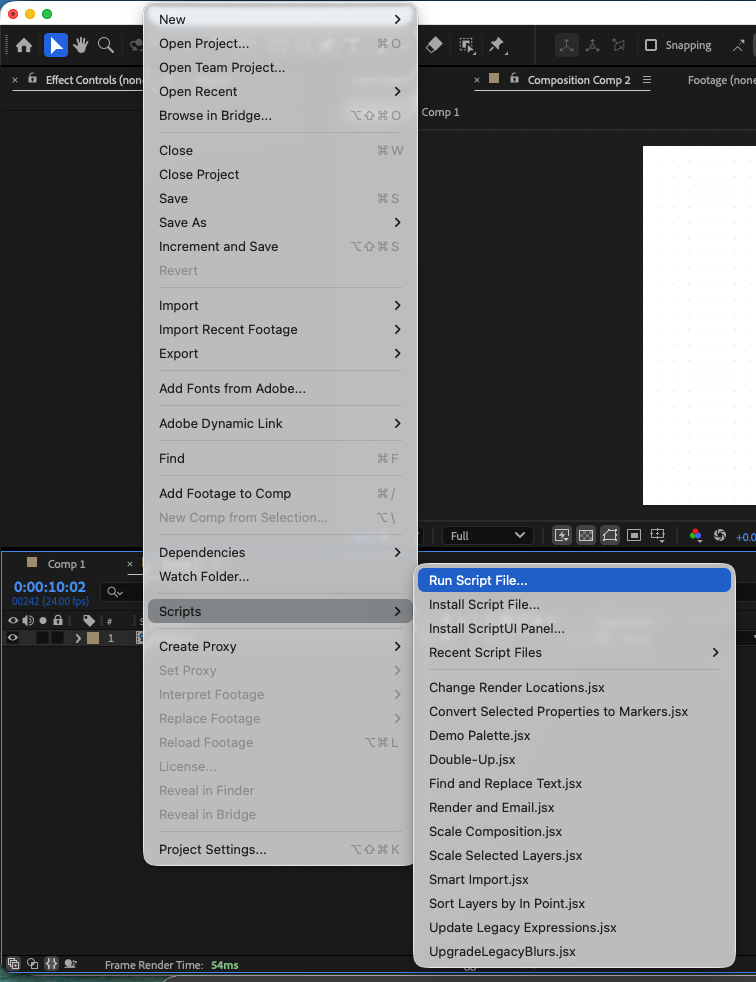
Four bugs that only exist inside After Effects
None of these were found by reading the code. All four passed a syntax check. Three of them produced no error at all — they just silently did the wrong thing, which is the expensive kind.
KeyframeEase applied.
setValueAtTime() creates linear keyframes, and setTemporalEaseAtKey()
does not change a keyframe's interpolation type — it only writes the handles. Without
setInterpolationTypeAtKey(i, BEZIER, BEZIER) the ease is stored and ignored. The code reads
as though it is eased. The timeline shows keyframes. The motion is flat.The one above. It appeared in three separate scripts before it was understood, because nothing errors and the keyframes look correct in the timeline. The tell is the graph editor, not the code.
The panel refused to load: Expected :
at line 55. The line declared function int(n). int is a FutureReservedWord in
ECMAScript 3 — the spec ExtendScript still implements — so it cannot be a function name or
an object key.
Node's parser does not reserve it, so node --check had passed
thirteen times. The fix took a minute; the lesson took longer.
Applying one KeyframeEase to a
multi-dimensional property hands every dimension that velocity. On a rectangle's Size, the
height was given 1262 px/s while its value never changed — so it swelled and settled on every
transition. Fixed by building one ease per dimension, with unchanged dimensions getting speed zero.
A seeded generator used a multiplier whose intermediate exceeds 253, so the result depended on floating-point rounding. Both engines were self-consistent, but the browser preview and After Effects produced different results from the same seed — which defeats the point of having a preview. Park–Miller keeps every intermediate inside a double's exact range.
The pattern is the same in all four: the code was
correct JavaScript and wrong ExtendScript. So the verification changed shape. Instead of reading the
script, the registry gets extracted and executed — 88 expression variants generated across every
dropdown combination, checked for undefined and NaN leaking into output. And
after the reserved-word failure, a linter that strips comments and strings and flags all thirty-one ES3
future-reserved words used as identifiers, keys or properties.
OK   AE_Inspect.jsx

          OK   Diagram_3Step_Curved.jsx

          OK   Diagram_5Step_Icons.jsx

          OK   Expression_Library_Panel.jsx

          OK   Glassmorphism_Panel.jsx

          OK   Infographic_4Step_Builder.jsx

          OK   Logo_Reveal_3D.jsx

          OK   PIP_Studio_Panel.jsx


          No ES3 reserved-word problems.
int, char,
float, double, class, final, static,
super, enum, import, export.What is in the panel
Twenty-eight, split by whether they change one property or make layers aware of each other.
| # | Expression | What it does | Needs keys |
|---|---|---|---|
| 01 | Bounce | Overshoot after each keyframe | yes |
| 02 | Loop | cycle, pingpong, offset, continue | yes |
| 03–07 | Wiggle, Smooth, Posterize, Random, Seed Random | Noise, stepping and randomness | — |
| 08–14 | Delay, Time Remap, Auto-Orient, Slider link, Linear, Ease, Clamp | Following, mapping and limiting | partly |
| 15 | Auto-size box behind text | A shape that fits its own copy | — |
| 16 | Number counter | Separators, decimals, padding, prefix | — |
| 17 | Connector line | Joins two layers, writes three properties | — |
| 18–23 | Inertia, gated Wiggle, Checkbox, Dropdown, toComp, Index offset | Springs, states and staggers | partly |
| 24–28 | Audio driver, Snap, Timecode, sampleImage, Per-char bounce | Reading the world outside the layer | — |
Everything used, and what it did

Wrote the panel, the visualiser, the tests — and this page

Hosted the panel and found every real bug

ECMAScript 3, reserved words and all

28 live demos, doubling as the test harness